
Want to discover how this business consultant uses Start.me daily?
Business consultant Paul Jones is willing to share his insights in a tool that saves him a lot of time on a daily basis. Want to learn just how he manages that? This interview will give the answer you need.
Beginning of Interview
Start.me: Paul, it’s great to have you with us today! Could you start by giving us a brief introduction about yourself?
Paul Jones: Thank you for having me! I’m Paul Jones, and I run a one-man consultancy that focuses on B2B sales and marketing automation. As a consultant help companies set up complex sales automation systems, configure them, and provide advice on the best systems to use. I come from an engineering background, which gives me a unique perspective on both marketing and systems.

Start.me: That’s fascinating! How did you first discover Start.me?
Paul Jones: I actually found Start.me through social media. I follow a lot of people who share tips about useful business software, and I think it was either an ad or a post about tools that caught my attention. I signed up, started exploring, and quickly decided to go for the lifetime subscription.
Start.me: How do you use Start.me now in your daily workflow? Can you walk us through it?
Paul Jones: Sure! I’ve set up various dashboards for different purposes. For instance, I have a page dedicated to workout tips, another for automation and AI, and one specifically for learning, where I store links to courses and resources. I also use Start.me to save things I find online, which I can revisit later.
Start.me: I see you use the bookmarking and notes widgets a lot. Are there any other features you rely on, as a business consultant?
Paul Jones: Yes, I use Start.me for saving both links and images. I find the notes widget particularly handy because I can paste images directly into it and add explanations or notes to keep things organized. This is especially useful when I’m researching new tools or prompts.
Most valuable Start.me features
Start.me: Which features do you find the most valuable?
Paul Jones: The bookmarking feature is definitely my favorite. I also appreciate the ability to embed web content directly onto my pages. For example, I’ve embedded a weather widget from another site because I prefer how it looks. This flexibility makes Start.me a versatile tool for me.
Start.me: Is there anything on your wishlist for Start.me that you’d like to see in the future?
Paul Jones: Absolutely. It would be fantastic to have more integration with Google Tasks, similar to what I’m using now. Also, having color-coded calendar events pulled directly from Google Calendar would be incredibly useful. It would be great to have everything in one place, like my emails and calendar.
Start.me: We’ve faced some challenges with Google’s security restrictions, but we’ll certainly take your suggestions into account. Anything else?
Paul Jones: Yes, I’d love to create a business dashboard that pulls in data from various sources, like web traffic and analytics. Right now, I use Google Data Studio for this, but having it integrated into Start.me would be a game-changer.
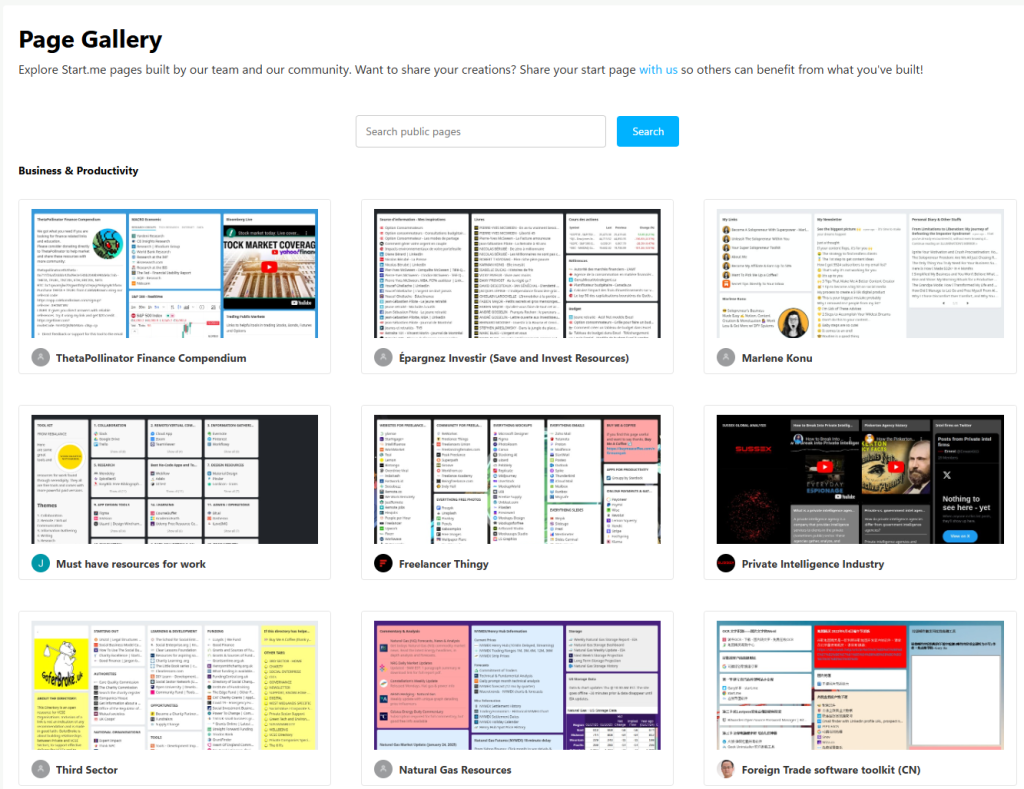
Start.me: You could do the same with our Embed widget. For example, it’s possible to embed graphs you’ve create in Google Sheets or other data in the cloud. Basically, if there’s a public link attached to your data, you can integrate it. There are several examples of this feature in our page gallery, in the category Business & Productivity.
Have you had a chance to check out our page gallery?
Paul Jones: No, I didn’t know about that.
Start.me: We have a gallery of pre-made pages that our community has shared. You can explore these pages or even create your own to share with others.
Paul Jones: That sounds fantastic! I’ll definitely take a look.
End of the interview
So, that’s been the jist of our conversation with Paul Jones. You can find him through his website CapConfig.com and contact him on LinkedIn.
If you have any questions for him or us, feel free to add a comment below.
10 Replies to “Want to discover how this business consultant uses Start.me daily?”
Great insights! Your tips on daily business are really helpful. I also found a great resource that expands on this—check it out below link, Would love to hear your thoughts!”
Thanks for your kind words! We appreciate the recommendation and will take a look. What did you find most insightful about it?
Like Paul Jones, I find the Notes widget super handy. The widget would be even better if I could export the content of all the notes on a Page. Are there any plans for this sort of addition to the widget? Being able to get all the notes in a single download for re-use elsewhere would be wonderful.
Hi Susan, thanks so much for your comment! Your suggestion has come up before, but we decided not to prioritize it at the time. That said, your request helps push it up the ladder! If you have any more ideas, we’re all ears.
Thanks for mentioning the embed feature. I probably knew about it, but a reminder is appreciated.
Glad you like it, Eugene. It’s one of our most versatile widgets. If I may ask, how do you plan to use it?
I’m not sure how I would use that widget, but it is very good to have that flexibility. I’d love to see if there is a way to watch YouTube video with that widget for a more user friendly interface.
Hi Eugene, thanks for responding! To add a YouTube video, you can paste the share code of the video you want to embed. For more information, read this support article. Add a YouTube video Hope this helps!
You’re welcome. Thank you, also.
I think that I was aware of it, but I was thinking of modifying something that allowed me to access the entire site through the widget. I would need to try it out to see how well it works.
Thanks for your support.
You’re welcome, Eugene! And if you have any remaining or new questions, don’t hesitate to reach out. We’re listening!