
Two-Factor Authentication now live on Start.me
Requested by our users, we’ve added Two-Factor Authentication (2FA) to our service. It’s available for all users. If you decide to activate it, this will make your Start.me account even more secure. We recommend activating it today.
How to enable 2FA
- Click your account icon and go to Account details.
- Open the Authentication tab and click Enable two-factor authentication.
- Enter your account password to start the setup.
- You’ll see a QR-code you can scan with your authenticator app (on mobile). If you can’t scan the code, you can also copy the key and add this to your authenticator app manually.
- Enter the 6-digit verification code from your authenticator app and click Verify code.
Your 2FA is now activated, which you can see by the green ‘Enabled’ button in the Admin portal.

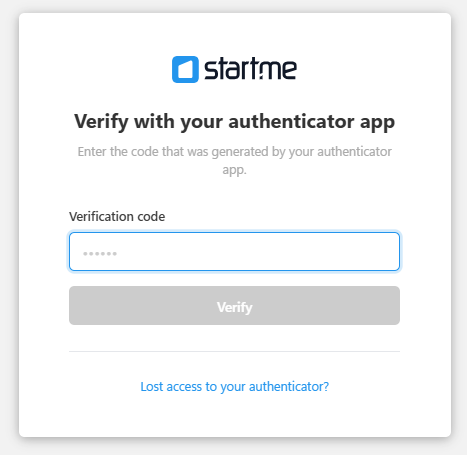
Once 2FA is enabled, you can continue working on your pages as usual. To test it, first log out of your account. The next time you sign in, we will ask you to verify your login with the code from your authenticator app.
Read more about this new feature in our support article.
Security and privacy
We continue to work on improving the security and privacy of Start.me. The addition of two-factor authentication is an important step in giving your account extra protection and more control over access to your account. It is one of the ways we are making Start.me safer and more reliable for everyday use.
We will keep building on this with further improvements over time, both to strengthen account security and to protect your data and privacy as our platform evolves.
Are there other security or privacy improvements you would like to see on Start.me? Let us know in the comments.
One Reply to “Two-Factor Authentication now live on Start.me”
Thanks so much. It works perfectly. Really great to see you continuing to improve my favorite start page.