
New Logo & Community Start Pages, RSS improvements, and more!
Now that summer is behind us, we’ve been busy rolling out updates big and small. From our refreshed logo and new Community Start Pages to RSS improvements, there’s plenty to share. We also made a modest adjustment to PRO pricing to keep things sustainable—while still very affordable. Curious what’s new? Read on!
Logo update
After years with the old logo, we’ve decided to tweak and improve it a bit. Can you spot the differences?
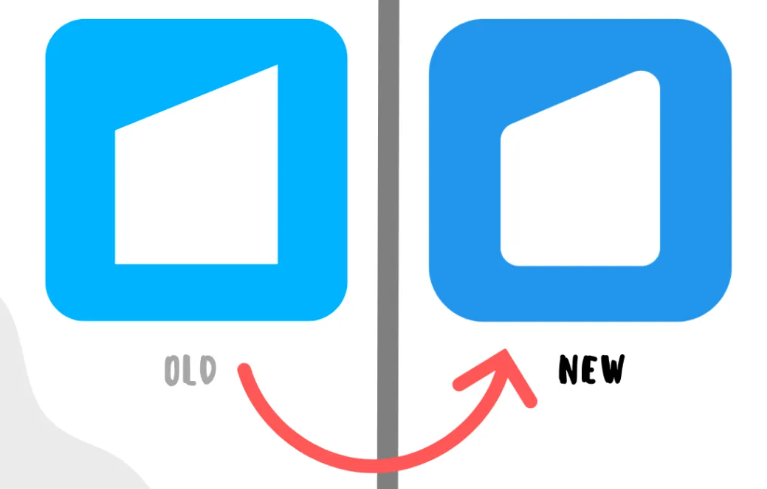
- We’ve changed the blue color to improve contrast and legibility.
- Added radius to the logo squircle and to the bookmark icon itself, to signal our continued innovative and friendly orientation.
- Tweaked the dot in Start.me – losing color and increasing distance to the m, again to improve legibility.

New feature: Community Start Pages
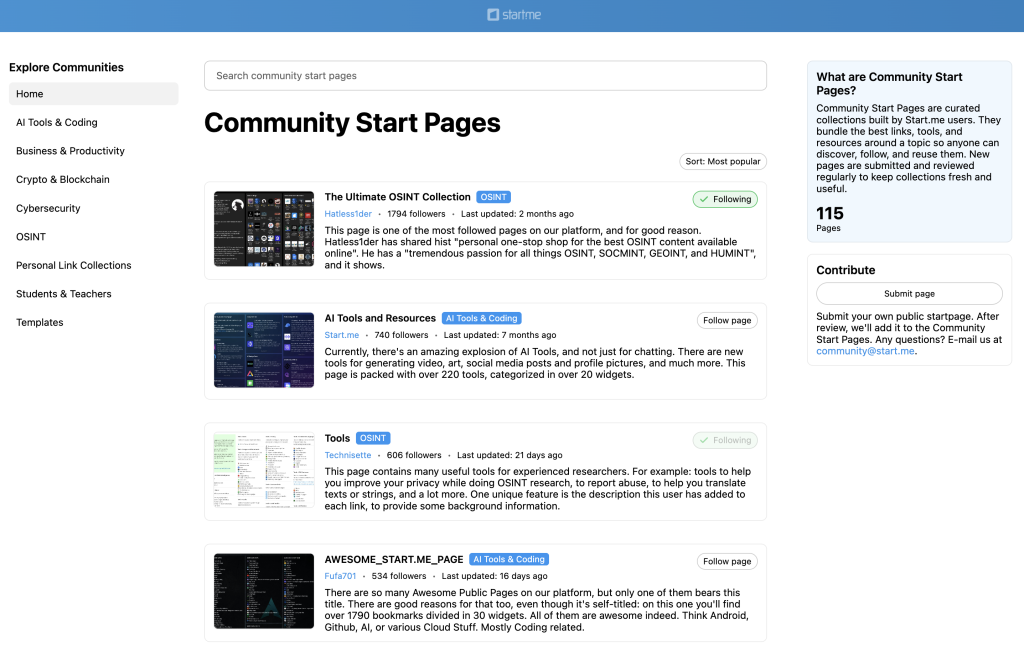
With Community Start Pages, you can explore curated collections of bookmarks, tools, and resources around specific topics—created and shared by other users. Currently, we offer the following categories:
- AI Tools & Coding – Pages with resources on artificial intelligence, programming frameworks, prompts, and tutorials to stay current in tech.
- Business & Productivity – Practical pages with strategies, playbooks, and tools to plan, organize, and work efficiently.
- Crypto & Blockchain – Collections exploring cryptocurrencies, DeFi, wallets, analytics, and blockchain platforms.
- Cybersecurity – Hubs with tools, guides, and best practices for threat intel, vulnerability research, and incident response.
- OSINT (Open Source Intelligence) – Curated techniques, datasets, and workflows for investigating and verifying open-source data.
- Personal link collections – Individual users’ curated bookmarks, from hobbies like Guitar tabs, and travel to news and daily favorites.
- Resources for Students & Teachers – Educational tools, study aids, and classroom resources for learning and teaching.
- Templates – Ready-made Start.me pages to kickstart projects, organize resources, or build dashboards quickly.
We’ve added many new features to make these collections more informative, valuable, and more social. As of today, you can display pages in order of popularity (the total number of page followers), last updated, recently added, or alphabetically.
You can follow single pages, or follow Start.me users, so you’ll see all their public pages in you page menu. And, of course, you can add your own collection. Just click and hit Submit page.
Timestamps in the RSS widget
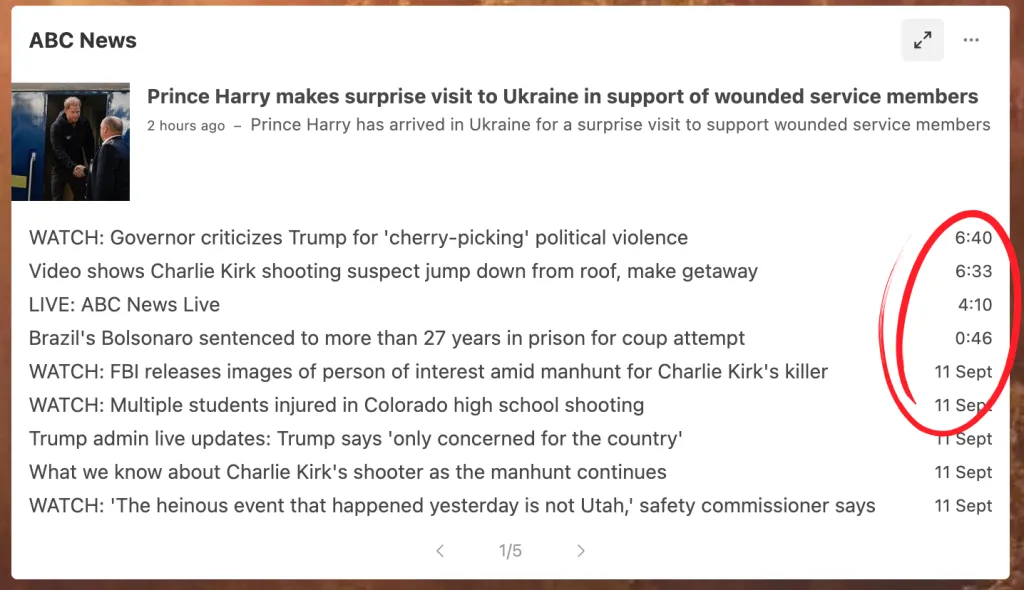
We’ve improved the RSS widget by adding timestamps, so you can instantly see when an article was published—especially handy for LIVE updates and important events. By default, timestamps are shown for new feeds, but you can easily toggle them on or off via More (three dots) > Display settings > Show timestamps.
Improved Bookmark Title Detection
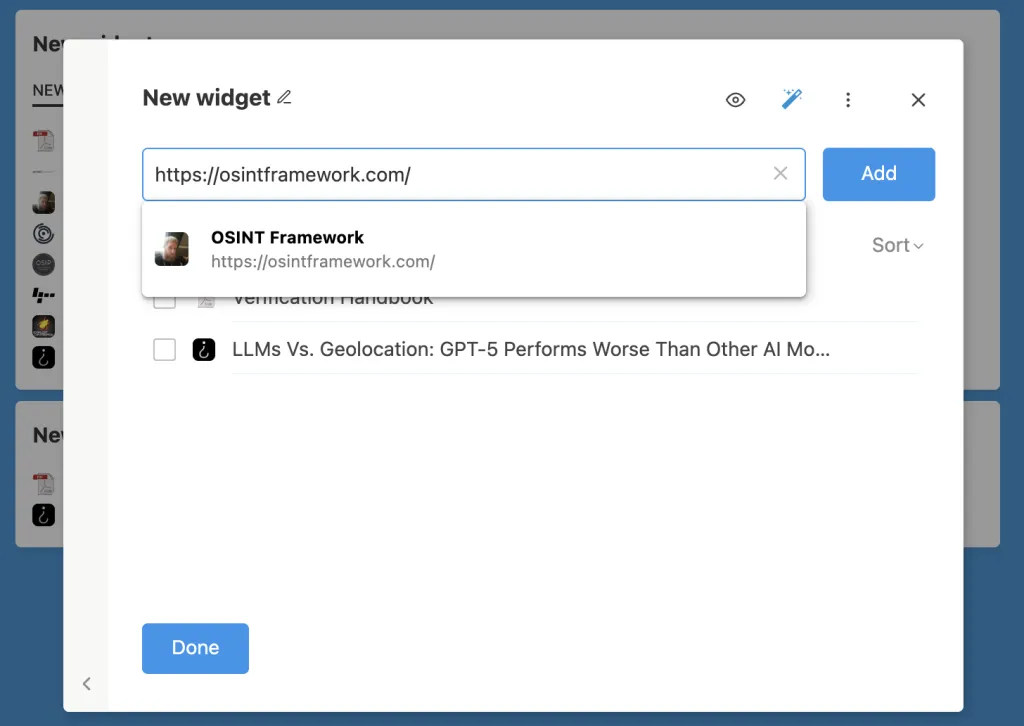
We’ve improved the detection of titles for the bookmarks our users add. Now, for almost all sites, we provide accurate titles right away—including for popular sites like YouTube.com and CNN.com.
Still not happy with the titles in your bookmark widget? Use our Smart Title Clean-up to ensures your bookmarks look clean and consistent.
Price inflation correction
To keep our service reliable and sustainable, we’ve made a modest adjustment to our PRO plan pricing:
- PRO Annual: $25 USD per year (was $24)
- PRO Lifetime: $75 USD one-time fee (was $70)
These small changes help us continue improving Start.me while keeping plans affordable.
See all current options on our pricing page.
Share your feedback or suggestions in the comments below, or email us at support@start.me. Your input helps us keep improving Start.me!
8 Replies to “New Logo & Community Start Pages, RSS improvements, and more!”
I’ve had the same 4 pages since the beginning, did you reduce it to 3? I got a pop up saying I can’t have 4 pages any more? I would like to keep my bookmarks page.
Hi Chris, thanks for commenting! You’re right that the number of free pages is capped at three. This change isn’t recent, but we did add a pop-up to better inform free users and encourage upgrading. Your existing pages, including your bookmarks page, won’t be removed. The limit only affects creating new pages.
Thats nice, but where is the bookmark manager?
Hi Dirmel,
We replaced the separate BookmarkManager with a more integrated Bookmarks Edit Modal/Window (pencil icon) some time ago. Do you miss any specific feature from the old bookmark manager?
I miss an overview of all bookmarks that also shows duplicate or broken links. And: Where can I find the bookmark inbox?
Hi Dirmel, thanks for commenting! The overview of all bookmarks (the bookmark manager) has been retired, as you have noticed. It just wasn’t used very much, and not well integrated into the regular pages view. Now you can access much the same functionality by clicking the edit button in every bookmarks widget, and clicking open the explorer bar to the left of the widget. This is also where you’ll discover the bookmark inbox. It’s mostly just one click away! If you have bookmarks in the inbox, you can also find it by clicking the search field in the header (to the right). As for the overview of duplicate or broken links: you can still see them on the pages, if you’ve enabled it in the Display settings. Does this work for you?
Thank you very much for these explanations, now I understand. Please keep up the good work.
Wonderful to hear, Dirmel! Thanks for understanding and letting us know. And if you ever run into an issue, just reach out — we really appreciate all your feedback!