
New feature: Add visual separators to bookmark widgets
Many Start.me users asked for a simple way to add more visual structure inside bookmark widgets.
You can now add horizontal lines between bookmarks to better organize groups of links inside a single widget. This makes larger bookmark collections easier to scan, structure, and navigate.
Whether you use Start.me for research, work, personal organization, or team collaboration, visual separators help create clearer sections without changing your existing page layout.
This feature is now available for all our PRO users.
What’s new?
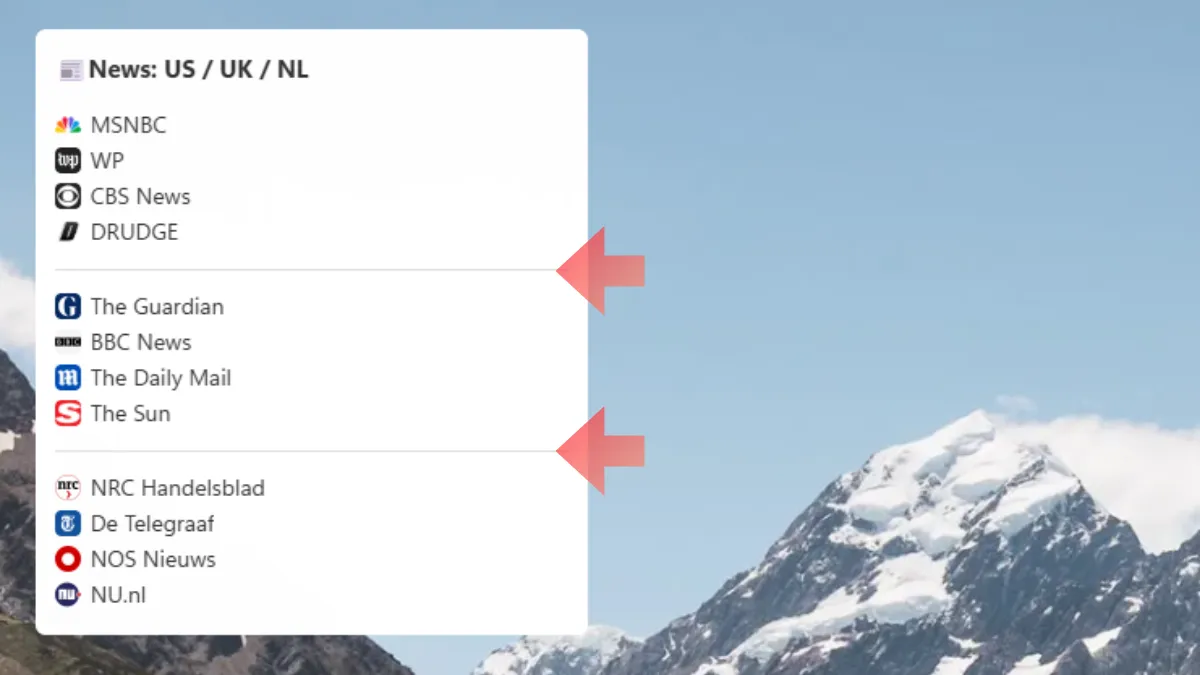
You can now insert a horizontal line between bookmarks in a bookmark widget.
Use them as visual separators when one widget contains multiple groups of related links. For example, you can separate news sources by topic, divide research links into categories, or keep work and personal links organized inside the same widget.
You can also add multiple horizontal lines to create additional sections within larger widgets.
Why it matters
Bookmark widgets can grow quickly over time. When all links appear in one continuous list, it becomes harder to quickly find what you need. Horizontal lines provide additional structure while keeping your page clean and compact.
It is a small addition, but one that can make everyday navigation and organization more efficient.
Instructions
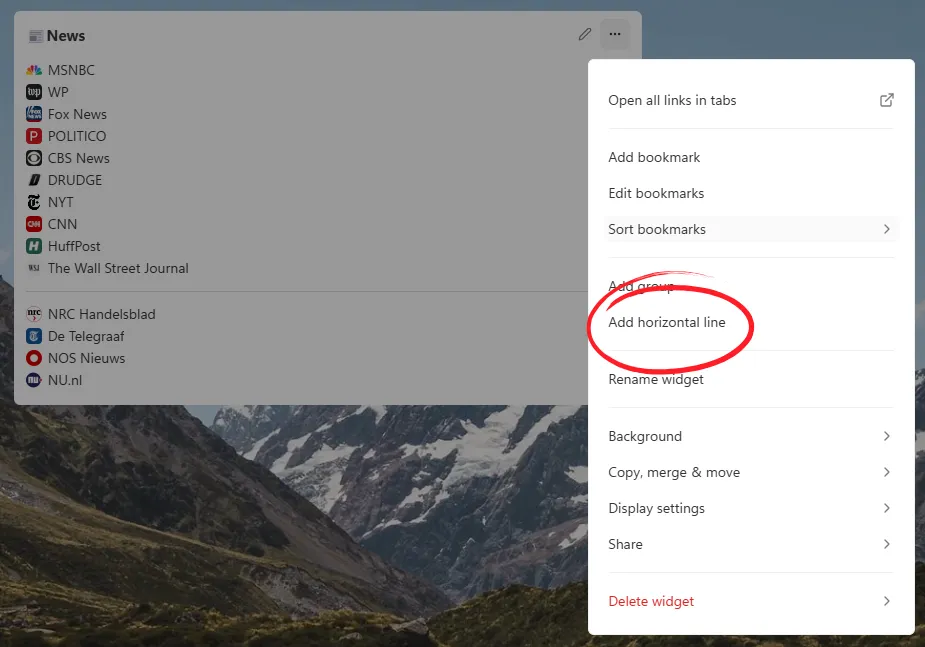
- Click the three dot icon in a bookmark widget. This opens the widget menu.
- Select Add horizontal line. The line will appear at the top of your bookmark widget, or at the bottom, depending on your settings.
- Drag and drop the line to place it where you want it.
- Click Done.
You can add multiple horizontal lines to the same widget.
Example use cases
- Separate work links from personal links.
- Group tools by project.
- Divide research sources into categories.
- Create small sections inside one larger bookmark widget.
- Make shared pages easier for visitors to understand.
Continuing to improve Start.me
This is another small but practical enhancement as we continue improving Start.me with useful features that make organizing and managing information easier and more flexible for our users.
We hope you enjoy the update. Like it? Please let us know in the comments.
10 Replies to “New feature: Add visual separators to bookmark widgets”
What effect does sort have on the widget with lines? Does it resort all the links or will it sort within the links? I’m a big user of groups to segregate my different categories of items within a widget. I also use naming conventions and keywords on the link name to help sort to put like things together
Sort reorders the links themselves. It does not sort within the sections created by horizontal lines.
Horizontal lines are only visual breaks. After you sort, the lines stay in the same spots in the list. The links around them can change.
If you use groups, sort works inside each group. Links stay in their own group and do not mix with other groups.
So if you want categories to stay separate when you sort, use groups. Use lines to make the list easier to scan.
Naming and keywords on link titles still work for putting similar links together, but that happens across the whole list (or inside one group), not between two lines.
I’ve used start.me almost your entire time online. You just keep getting better and better!
A user of Fast Dial back in the 2000s, I actually envisioned this kind of bookmarking tool as a way to improve the visual bookmarking process. I could hardly believe my eyes when I saw what I had mentally pictures come to life! I’ve been a subscriber ever since.
Thank you, Timothy. We really appreciate this. It’s amazing to hear you’ve been with Start.me for so many years, and comments like this mean a lot to our team. We’ll keep improving it.
Nice feature but how do you remove the line if it’s no longer needed?
Horizontal lines can be removed in two ways:
– Right-click on horizontal line -> Delete horizontal line
– Click Edit pencil -> in this edit modal you’ll see a trash can to delete the horizontal line
Perfect! Works great, thanks
Wonderful, Mike! And if you have any other questions, please let us know!
A small but great addition, thanks!
You’re very welcome, Martijn!