
Here’s what’s new on Start.me – July 2026 update
Behind the scenes, our team works to improve Start.me every single day. Here’s a look at some of the things we’ve built over the last few weeks.
Clean up your bookmarks
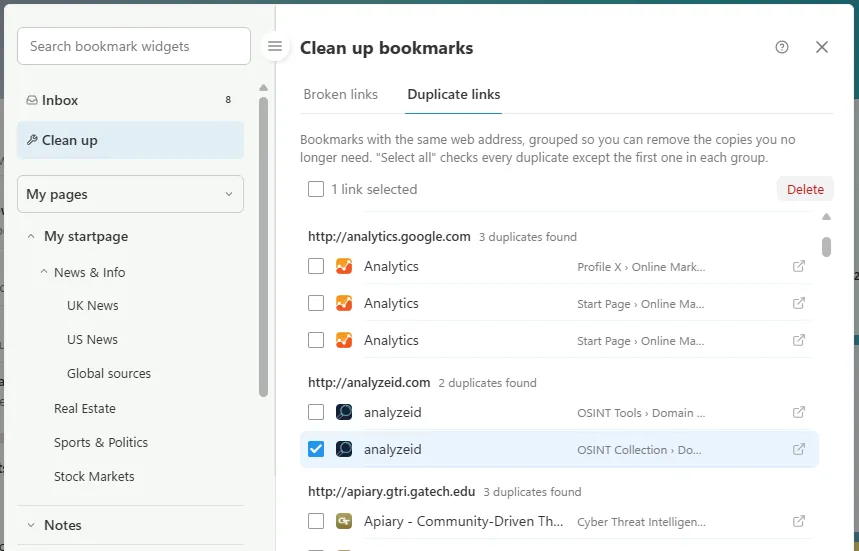
As bookmark collections grow, some links break or get duplicated. The new Clean up section in the bookmarks editor finds broken and duplicate links across all your pages, and shows exactly where each one lives, so you can fix or delete them on the spot. Available with PRO.
The Notes editor got a serious upgrade
We rebuilt the Notes editor from the ground up. It now supports headings, strikethrough, and full tables, complete with a right-click menu for adding rows and columns. And your notes are no longer locked in: you can now export and import them as Markdown files.
New widgets: countdown and countup timers
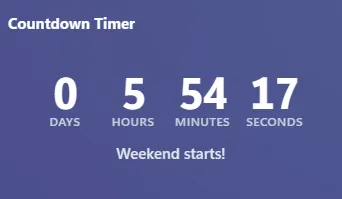
Counting down to a launch, a vacation, or a deadline? Or counting up from a milestone, like days since you quit smoking? The new Countdown and Countup Timer widgets do exactly that. You can find them in the Date & time category when you are adding a new widget.
Page Introduction widget
When you share a page, a bit of context helps your visitors. That’s why we built the Page Introduction widget: it displays your page title, description, page views, and follower count, all in one place at the top. Visitors can follow your page with a single click. You decide what’s shown through Page Settings, so it can be as personal or as minimal as you like. Great for public pages that deserve a proper front door.
And a lot more has changed
- Page Analytics now offers 6-month, 9-month, and all-time views.
- When you copy or move bookmarks or widgets, your Starred pages now appear at the top of the destination list, so your favorite pages are always one click away.
- Stock quotes now show extra information on hover: you can see whether you’re looking at a live quote or the closing price.
- Sorting widgets on a page became easier. In Organize widgets mode, you can now sort widgets alphabetically, across your page or per column.
- A page can have up to 7 columns, and adding or removing them is now easier than ever. Open Page Settings and go to the Columns tab.
- The Chart widget now accepts JSON data next to CSV, whether you paste it, upload a file, or point it at a live URL.
And dozens of other small improvements have been made to make Start.me easier to use, faster, and more secure.
What would you like to see next?
Almost everything above started as a suggestion from a user. So keep them coming: found something that could work better, or missing a feature? Drop us a message through the support chat or leave a comment below. We read everything, and your input shapes what we build next on Start.me.
8 Replies to “Here’s what’s new on Start.me – July 2026 update”
What happened to the “Cloud layout”? It’s no longer aligned Center, it’s Left Aligned and it’s really hard to use it like this. Is there a way to change it back to center aligned like before? Or could you add an option for that?
Hi Tom- there is an option in the Settings menu to align it in Center. Let us know if this works.
I can set the column size but must use small, medium,ect. I can’t find the drag to size option and i am hoping that it would let me set sizes in between small and medium.
Hi Morris, thanks for your comment. At the moment, column sizes can only be set to the available presets, such as small or medium. It isn’t currently possible to resize columns by dragging or to choose a size between those presets.
So many good improvements that I will need to try out. But extra thanks for the ability to export Notes. Having the option to readily move my data to a different service or program is important for peace of mind, even with total confidence in Start.me, just knowing that it is possible is important.
Nice to see improvements being rolled out. Two feature suggestions
1. With Open Pages Menu (Alt P), you can search for a page and then tab to open the desired result which is nice. With the Search option (Ctrl S) you can search but then there is no way to move (tab, arrow key etc) to the desired result to select it
2. Somewhat related to the first one – with the Search option, it would be nice to be able use the keyboard somehow to choose between the search options (Bookmarks, Notes, Tasks)
Thanks Rob
Thank you for your suggestions, Rob — we’ve now implemented v1 for in the search results as well.
share to: fb x ect